Understand feedback
SCL evaluates what the learner said against the role-play’s configured criteria. The simulated customer’s messages provide context but must not be credited as learner behaviour.
What the result means
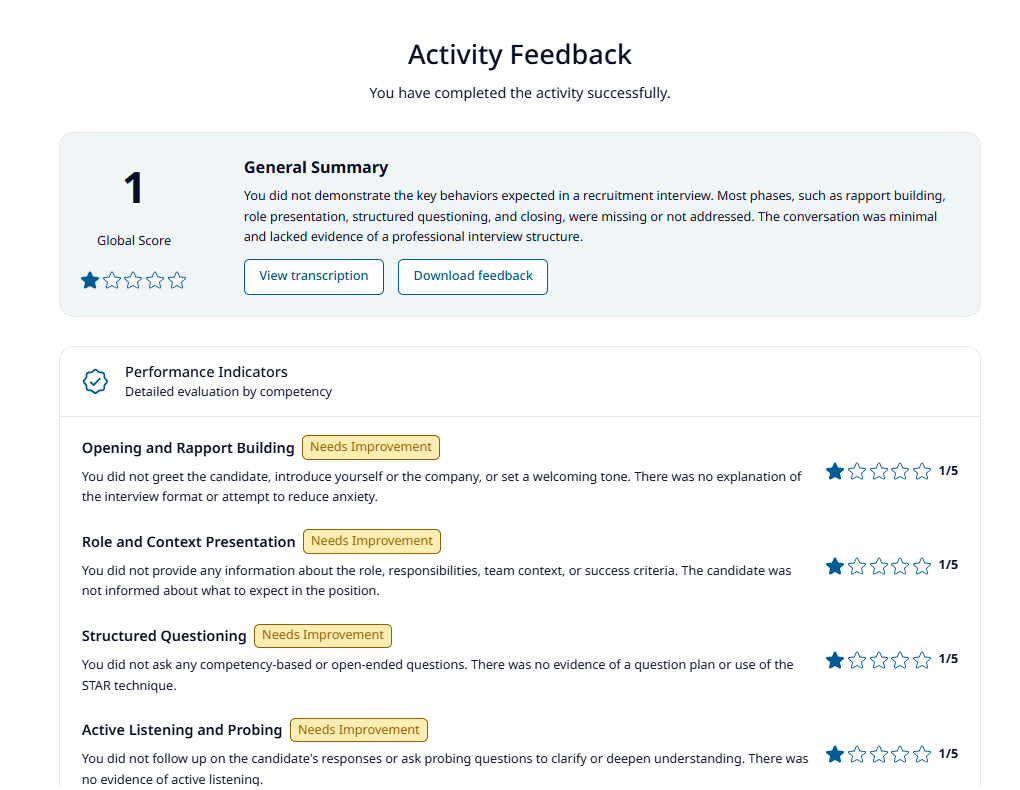
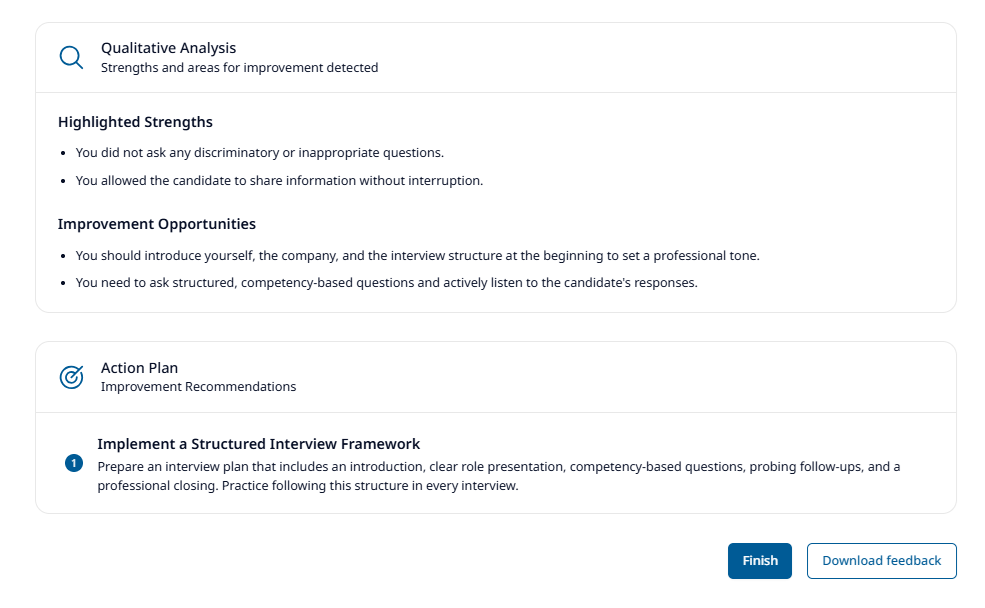
| Section | Interpretation |
|---|---|
| Overall score | Integer result from 1 to 5 produced under the role-play’s evaluation instructions; the API validates the range but does not recompute the weighting |
| Description | Concise summary of the learner’s performance |
| Performance indicators | Criterion-by-criterion score, status, and evidence-based explanation |
| Qualitative analysis | Specific strengths and improvement opportunities |
| Action plan | Concrete recommendations for the next attempt or workplace practice |
| Recommended courses | Optional follow-up learning when supplied by the evaluation response |
The evaluation prompt instructs the model to classify an indicator as achieved at 4 or 5 and improvable at 1, 2, or 3. The current API does not independently verify this relationship. Scores are meaningful only in the context of that role-play’s criteria; they should not be compared across unrelated exercises without a shared assessment design.
Use evidence to improve
- Start with the lowest or most important performance indicator.
- Open the transcript and find the relevant part of the conversation.
- Compare what you said with the indicator’s explanation and action plan.
- Choose one or two behaviours to practise deliberately in the next attempt.
- Repeat the role-play and look for improvement in the same indicators.
Transcript and print actions
You can review and copy the transcript when at least one conversation turn is available. The feedback download action opens the browser print workflow; use Save as PDF if you need a file. Recommended courses are not included in the current print layout.
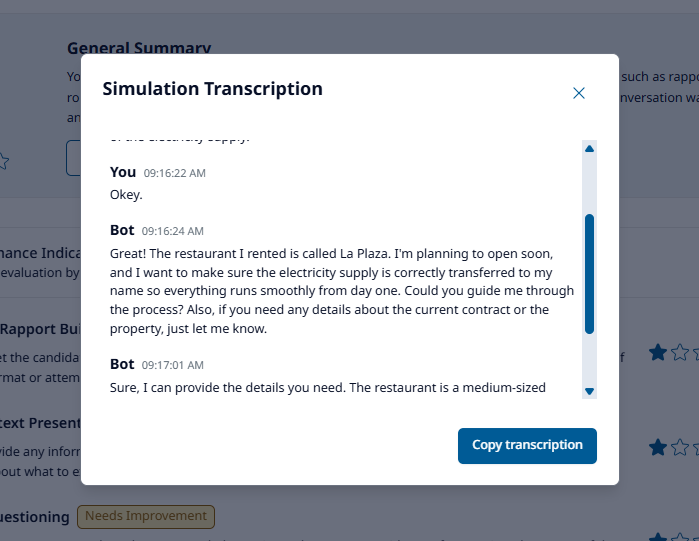
The transcript and feedback are not added to a durable learner-history view by the current product. Starting a new practice clears the temporary transcript.
Language and completion
The evaluation locale is fixed when the feedback request starts. Changing the interface language on the result page translates interface labels but does not rerun the assessment.
When the role-play is connected to a learning platform, successful evaluation can enqueue completion in the background. The feedback page does not show whether that separate callback eventually succeeded.
If evaluation fails or returns an invalid result, SCL shows a feedback-analysis error instead of a partial score. See Troubleshooting.